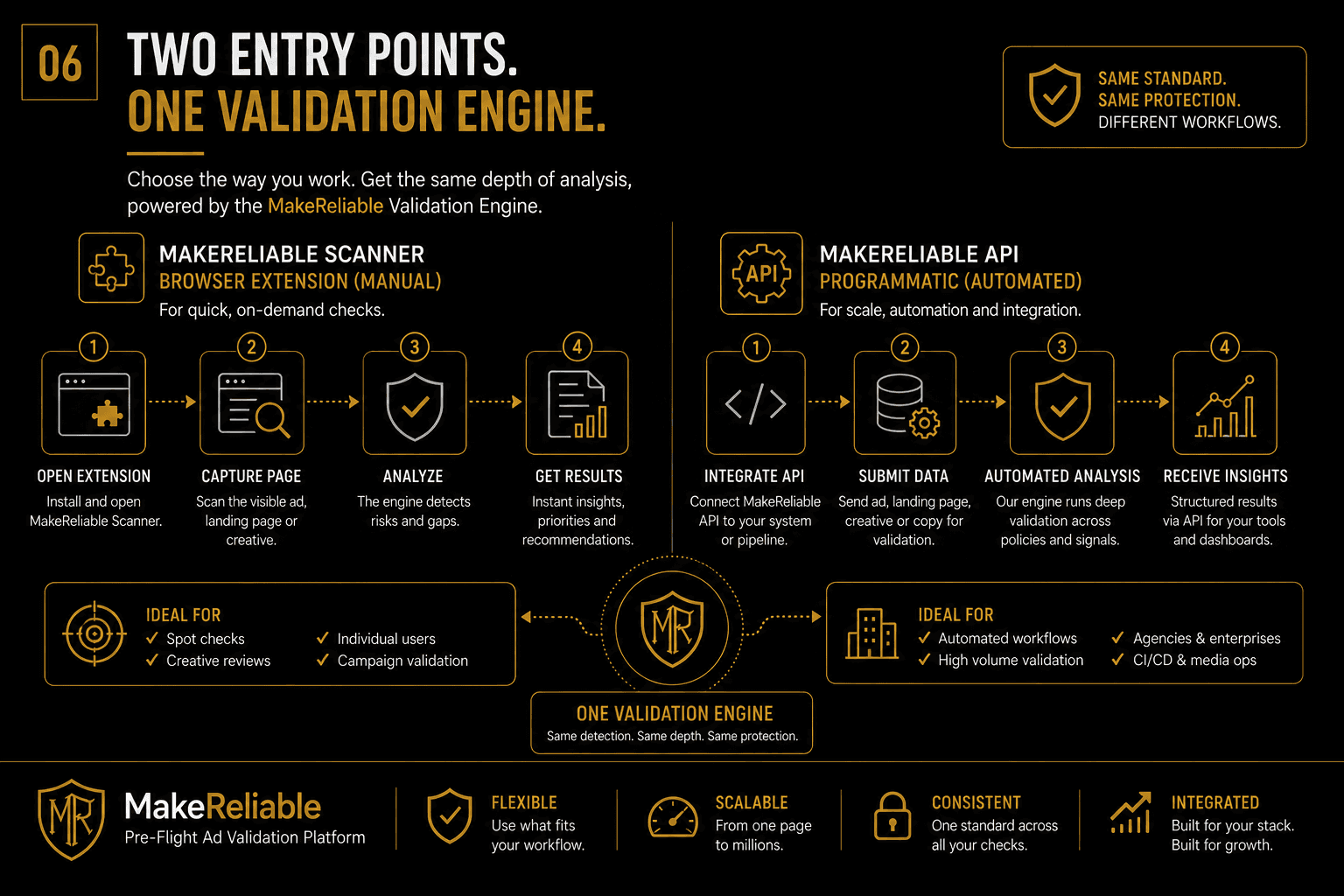
Validation workflows usually split into two modes:
- manual review inside the browser
- automated review through an API
The choice is not about which one is better in the abstract. It is about which one fits the team, the volume, and the moment in the launch cycle.
When the extension workflow makes sense
A Chrome extension workflow is useful when a team needs quick, on-demand review of a live page, creative, or launch candidate.
It fits well for:
- spot checks
- creative review
- landing-page review
- manual QA before launch
- agency workflows where reviewers need page-level context
When the API workflow makes sense
An API workflow is useful when validation needs to become part of an operating system.
It fits well for:
- higher validation volume
- structured submission pipelines
- repeatable pre-launch checks
- integration into internal tooling
- agency or enterprise automation
The important point
The operating surface can change without changing the review standard.
That is the key architectural advantage of having two entry points connected to one validation engine.
Teams can start with manual checks, expand into automation, or run both in parallel depending on the stage of the business.
Choosing the right workflow
Use the extension when humans need fast context. Use the API when systems need repeatable throughput.
In both cases, the purpose stays the same: catch issues before launch, reduce avoidable risk, and preserve visibility across the campaign lifecycle.